
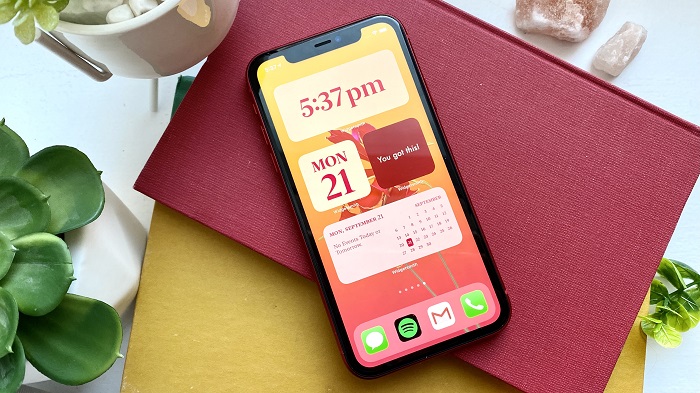
In general, Apple’s mobile devices and its IOS operating system are quite sophisticated in any of its versions. They have been a trend among consumers for some time due to their design and interface. Today, it is possible to create custom widgets in IOS with Widgetsmith to add a personal touch.
It may sound like an unusual measure, although it has become more common now. It is not bad to want to go beyond the typical Apple design and for this, Widgetsmith fulfills its function one hundred percent. What should you do? How to customize widgets on iPhone? Pay attention so that everything runs perfectly and to the letter.
How to customize widgets on iPhone?
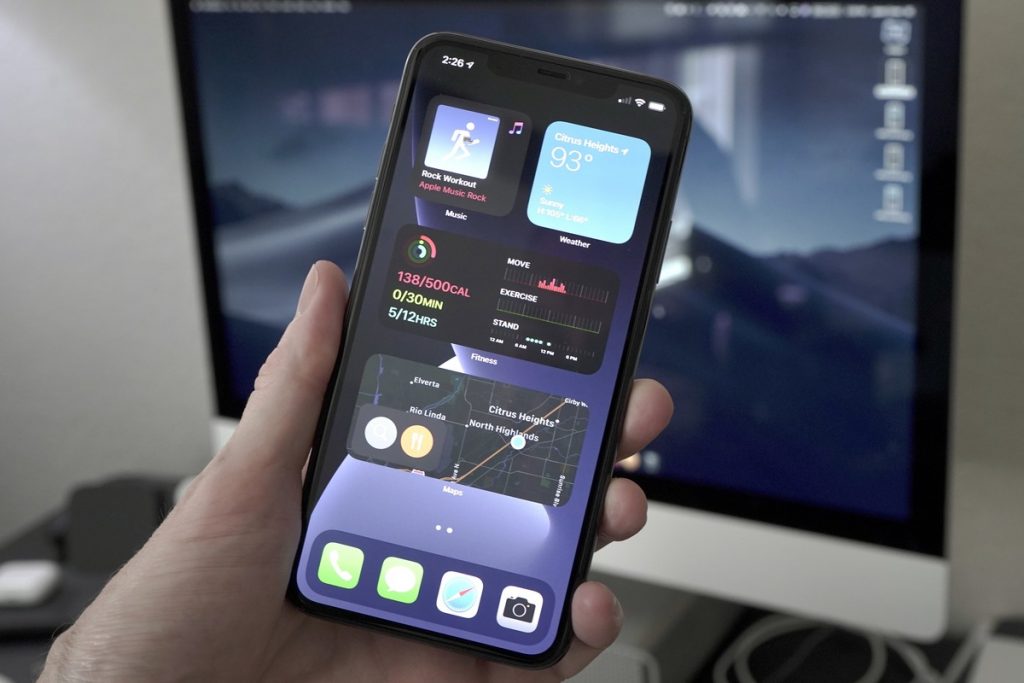
As already mentioned, the trend for customizing the most famous Apple device, the iPhone, has changed recently. Now, with the arrival of Widgets, everything is simpler and even enjoyable.
Widgetsmith widgets, without fear of mistakes, are among the best on the list for the IOS operating system and your iPhone. Therefore, its benefits are appreciated by the community, so it is worth mentioning them one by one carefully.
A reliable and complete option
When creating custom widgets in IOS with Widgetsmith, you will find that the process is easy to cope with. In a matter of a few seconds, you will be able to show off new customization for your iPhone. Discover how to search for a word on a page.
Thanks to the best options and templates that the application has, you can play with the possibilities to achieve your iPhone’s good finish.
Add a personal aesthetic touch to the iPhone startup
The iPhone home screen is probably one of the most exploited and popular aspects of the community in general. Imagine being able to modify or customize it as you wish, according to the application’s parameters with the best Widgets. It will surely result in a great idea.
Wide variety of templates and designs
Widgetsmith has a series of key instruments for optimal operation to emphasize what was exposed at the beginning of the benefits. Among these, templates with varied designs for different features of the iPhone home screen stand out.
An example of this is the weather, the calendar, the date and time, and a special section for photos or the ability to add reminders. Activating these new iPhone widgets is a piece of cake, as long as Widgetsmith is involved.
By achieving a successful result, creating custom widgets in IOS with Widgetsmith is made possible by edition 14 of this OS. During previous versions, this process was not highly recommended or it was simply not carried out accurately.
As a first step, you must open the App Store on your Apple device and, in the search bar, type the name of the application, Widgetsmith.
Once the download time expires and the shortcut is created, you must now enter the application. At first glance, three empty tiles of different sizes will appear and below each one, the “Add” button is wielded. Press it according to your demands and move on.
Taking into consideration what has been described, each widget template is unique and different from the others. Depending on your tastes, you can decide the background color or the widget itself and the font style if it is text.
When creating custom widgets in IOS with Widgetsmith, you can name them whatever you want. You can even add a photo from the compatible library if you prefer.
Tags: iPhone gadgets, widgets on iphone


Leave a Reply