
If you are a user of Facebook and Twitter, it is possible for some time to be able to link both accounts. Thus, every time you post something on either of these two social networks, will be seen simultaneously in the two profiles, replicating its content automatically. We teach you how.
Before you decide to link your Facebook and Twitter, should you make a question: do you really want to show the same publication to all your contacts on both networks?
On the one hand, it may be interesting if your friends and contacts vary greatly from one account to another, but if you have many followers present in both, most likely your message will prove redundant. In addition, it is that sometimes there is nothing more annoying than to see again and again the same update both Facebook and Twitter.
Anyway, if you want to join your Facebook and Twitter, these are the steps you have to follow.
Enter Twitter and associate your account with Facebook
First, go to www.twitter.com and enter your user data. Then click on the icon of your account (top right, right next to the button “tweeting”) and enters the section configuration.
Once there, just look for the menu Applications and right at the beginning will see the Facebook icon with the button “Connect to Facebook“. After pressing it, all your new tweets are automatically posted to your Facebook wall, without doing anything else.
You may also like to read another article on Web-Build: Why we should not underestimate a social network like Twitter?
Link your Facebook wall to your Twitter profile
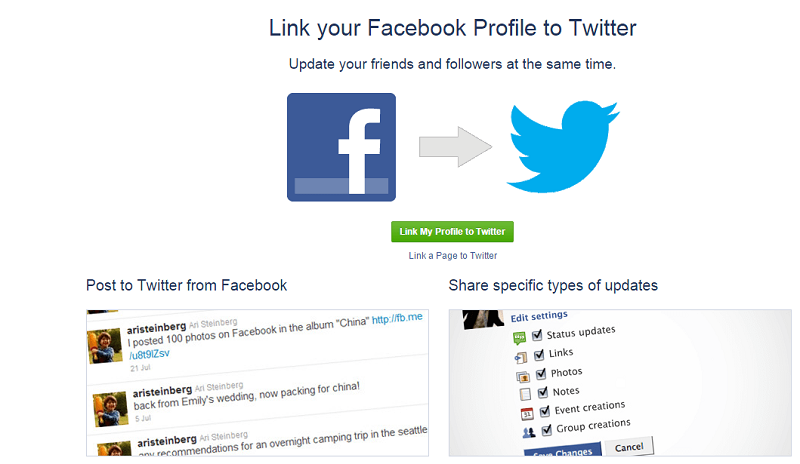
Now that you have linked Facebook to Twitter, you get to do just the opposite happened. Facebook, log in and visit this URL: www.facebook.com/twitter .
At that time, you will see a message that will allow you to link your Facebook and Twitter profile, which will achieve that every publication on your wall instantly see Twitter. Simply click on the button ” link my Twitter profile ” and you ‘re ready.
Of course, for a Facebook post on Twitter display automatically, you have to publish the privacy settings in “public” status. In addition, you can choose what kind of publications will share, from status updates or limit it to only upload photos or creating events, for example.
That is all! With these simple steps, you have managed to link your Facebook and Twitter to avoid having to post updates on both networks separately.
Tags: Facebook, Link, Twitter



Leave a Reply