
Googling “how to create a website” or “create a site” are the commercial results that the network might never return. The preparation of a web site is sold as something simple, fast, as a transaction, which takes only 5 minutes, or 5 clicks.
The number 5 appears to have particular effect for this type of posts… But the truth is otherwise: create a site is difficult.
It takes 5 minutes to create a free online site with tools like Wix, jimdo, altervista and others.The real difficulty lies in creating a decent website and is working. I’ll tell you after you have had experience of the enormous amount of time which requires the creation of a website.
Actually, I thought of a solution for you, but we’ll talk about it later…
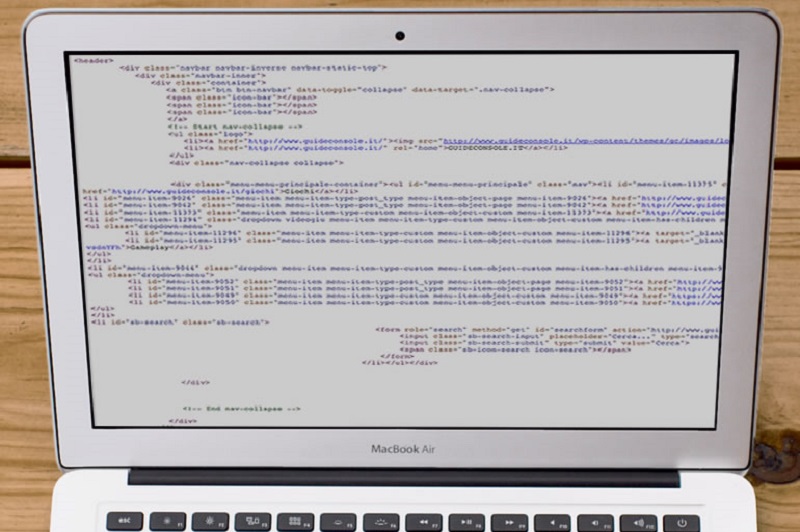
What is the problem of online sites generators?
Not only the services of this type generally do not allow you to have your own domain but limit your space to a sub-domain of their site, but you will end up:
- Having a dirty code
- Having a website full of errors
- Show banner on which we do not really monetize monetize or only partially (this happens with WordPress and Altervista that, in exchange for hosting free, bind you from the advertising point of view)
- Not being able to add themes (or edit existing) except through a paid or otherwise complicated solution
Not to mention the tools drag & drop to create online pages. Everything nice, everything fast and everything cool and then? After the first click you realize that the instrument is inconvenient in most cases and ends up “stick” pieces of code here and there on the page, perhaps by sacrificing responsiveness, design or functionality.
We are still on the wrong track.
The most common choice
The path most taken by those who have passed the first step is just at its beginning, the taking of awareness of the fact that the services I mentioned earlier can only lead to mediocre results. Then, and this I tell you from experience, one despairs of Google, we look for solutions and, after hours and hours we understand that a bit ‘and we must, therefore, decide to:
- Buy a domain (which is not the classic free .tk)
- Choose a hosting
- Install a CMS like WordPress
After spending, a long time to do these three things one wonders: “Now what? My site is bad, still looks like a blog than those that are created in a single click.” Just a few more hours on Google to discover the wonderful worlds of ThemeForest or WordPress Theme Directory. It looks a bit in the window and choose a free theme or paid.
Click, shopping, download, setup, and online.
“But now my site is like everyone else! Then this is a blog! I want to write reviews, post videos, interviews, podcasts, and map to find the Triforce in the world!”
And, once again, the problems begin.
Theme customization
It then soon becomes clear that the issue should be modified to customize it, both from a stylistic point of view in its functionality. But at the beginning we realize only the first problem. What do you do in this case? Google in hand, you go in search of tutorials and …
“What the hell is this thing ?!”
Yes, you must, change the code. Yes, things, Aihm still function because a code was written. One can not overlook an item here and there, you cannot create a new page by tapping and dragging with your finger, and even explain to a program that we desire from our website: you have to get your hands dirty code . Code that in most cases is not known. If we are beginners, php, css or html may seem monsters.
Disappointed by the situation, but still determined, we turn to a web agency, requiring customization.
You may also like to read another article on Web-Build: Top 5 Specifics of a Quality Web Design
Customization request expert
“Then you should change me this color, this font, that picture, this element. Then maybe I move the bar to the right, the left box. Maybe I do also all black site, with the words written in gray, so l ‘ user relaxes.”
This kind of thing does not only take time but also an investment. Sure, you have a professional and personalized eventually find when addressed to a webagency or a web designer asking for a site from scratch, but this has its costs. If you ask many customizations of a theme ready … well, the result is certainly not the best.
Euphemisms aside, the result will clearly sucks…
“But why apologize? In the window of ThemeForest the theme was all pretty! What happened?”
What the designer is a profession to be learned over the years, and who had drawn that theme had put in place all that he had learned over the years. By changing up, down left and right you lose everything. You lose the magic, balance, consistency. While perhaps before the site was white, now become empty. And if it was dark, it has now become messy.
“Ah, I also put the snow that falls during the Christmas season?”
What might make you avoid all this waste of time (no fatigue)
The purchase of a theme for wordpress, while allowing the freedom, leaves you still padlocks, the blocks on customization. A page you can do so in one, two, three or four ways, but certainly not in an infinity: without the necessary skills finiresti to make a bad site, or that you like. And in the latter case’d just like to you.
Divi is an excellent compromise. It allows you to create a website without programming but does not promise you to do everything in 5 minutes. Obviously, it is a less explosive than the solution contact a web designer but it can be a good compromise for the beginning. Look, I prelates a course whose subscribers can download Divi and follow several videos to be able to set up their own website, with hard work and a little “the old way”.
Tags: create a site, Web Design


Leave a Reply