Web Build
  • Home
  • About
  • Blogging
  • Business
  • Gaming
  • Online Marketing
  • Tech News
    • Social Media
    • Facebook
    • Google
    • Microsoft
    • Reviews
    • Tips and Ideas
    • Yahoo
  • Web Design
  • Contact
  • Privacy Policy
Home  /  Google  /  Google Allo is already available from the web, and with it debuts Google Assistant on the desktop

Google Allo is already available from the web, and with it debuts Google Assistant on the desktop

Jeremy August 16, 2017 Google Leave a Comment
Google Allo

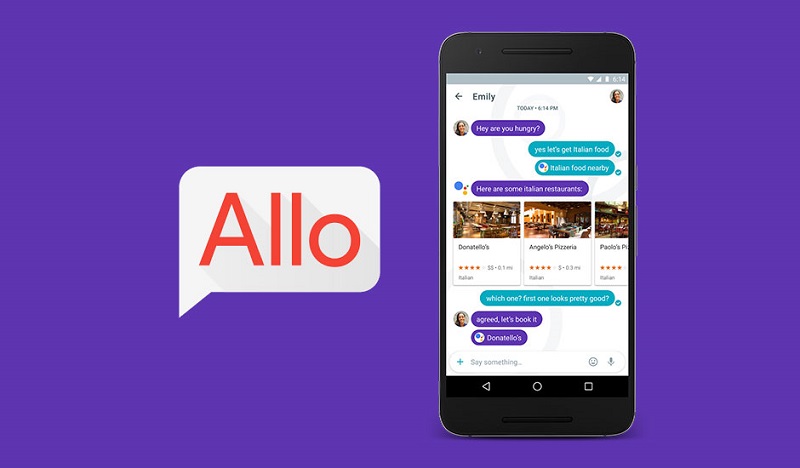
Since the beginning of years we have known that Google Allo would have web version, the application that is part of the incredibly crowded ecosystem of applications of messaging that has Google, and can be used from its web version, but for now only if you use Allo in Android.

Allo Web works similarly to WhatsApp Web, is not a completely independent application of the mobile, as it happens with Telegram for example. To use Allo from Google Chrome on your desktop, you need to scan a QR code that lets you pair the mobile with your computer.
Google Allo
Image Source: Google Image

The app only works from Google Chrome. We tested with Opera, Firefox, and Microsoft Edge and none allows to pair the mobile. However, if you open the link from Vivaldi, Allo thinks you’re using Chrome.

Entering allo.google.com/web the first thing you’ll see is the instructions to scan the code from the Android app (soon on iPhone, but no date). Then just open the app on your mobile, touch the menu on the left and look for the option Allo for the web.
Google Allo
Image Source: Google Image

This opens a camera to scan the code on your landlord’s screen, and basically the same as WhatsApp web works, you immediately pair. If you run out of battery or out of the mobile application, Allo web will not work.

You may also like to read: Hangouts, getting closer to the end

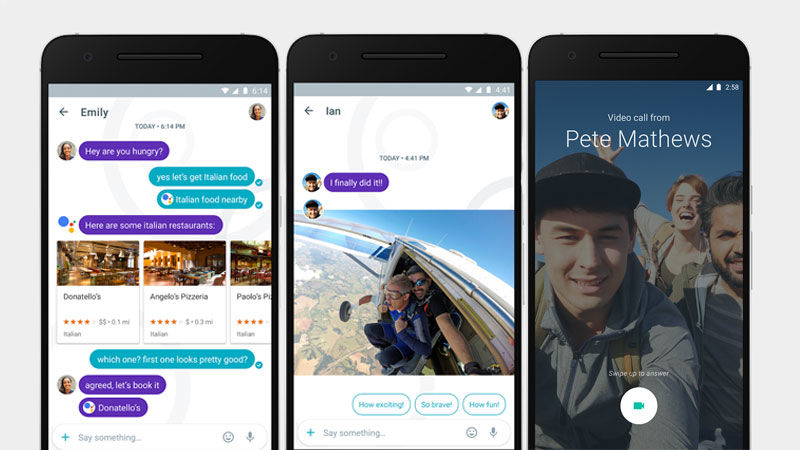
The most interesting thing about Allo is that it integrates Google Assistant, and with the arrival of the messaging platform to the web, this also becomes the first time the Google assistant reaches the desktop.
Google Allo
Image Source: Google Image

Google Assistant can help you find places to eat, recommend movies, send you notifications with the weather report on a daily basis, you can send a news feed, etc. All from a chat window.

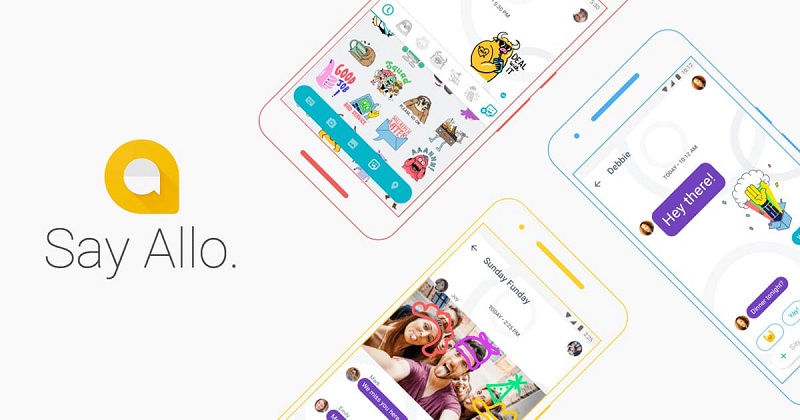
You also have an incognito chat mode with self-destructing messages, many stickers, adjustable text, and intelligent prediction of words. The web interface is nice, clean, fast and very smooth, it’s a shame that you hardly find it useful to another Google messaging app.

Tags: Google Allo
Previous Article
Next Article

About Author

Jeremy

Related Posts

  • How to install android firmware without pc

    How to install android firmware without pc?

    December 21, 2022
  • How to spam someones email

    How to spam someones email?

    September 14, 2021
  • how to turn off automatic updates on android

    How to turn off automatic updates on Android?

    June 20, 2021

Leave a Reply

Cancel reply

This site uses Akismet to reduce spam. Learn how your comment data is processed.

Recent Posts

  • Soundcore headphones resting on a desk next to a transit map app.
    How to Pick Soundcore Headphones for Texas Commuting September 2, 2026
  • Close-up of wired in-ear monitors resting on a wooden desk.
    How to Pick Top In-Ear Monitors Under Budget in WA September 1, 2026
  • Person wearing noise cancelling headphones outdoors during a snowy Chicago winter day.
    How to Select Noise Cancelling Headphones for Illinois Weather September 1, 2026
  • Traveler wearing AI translation earbuds on a bustling city street.
    How to Find Top AI Earbuds for Language Barriers August 27, 2026
  • How to Check a Steering Pump Before Replacement August 9, 2026
  • Gamer wearing a budget gaming headset with noise isolation in a lit room.
    How to Find Best Budget Gaming Headsets for Noise August 2, 2026

Categories

  • Blogging
  • Business
  • Facebook
  • Gaming
  • Google
  • Microsoft
  • Online Marketing
  • Reviews
  • Social Media
  • Tech News
  • Tips and Ideas
  • Web Design

Archives

Theme by ThemesPie | Proudly Powered by WordPress